
Copy TX Data
With the Connector Setting Copy TX Data: Field to Field you can automatically copy specific transaction data fields to another transaction data field custom. The setting is configured per Connector, but can also be configured as a Global Settings.
To configure the connector setting follow this steps:
- Go to the Connector Detail Overview of the desired Connector
- Click Edit on the Settings section (see Connector Detail Overview)
- Select the Connector Setting Copy TX Data: Field to Field and click Add (see Connector Settings)
- Click Add to create a parameter pairs (Field From, Field To). You can add as many parameter pairs as you want.
- Select Parameter Field From , select Parameter Field To and click Save (see Parameter available Field From/To)
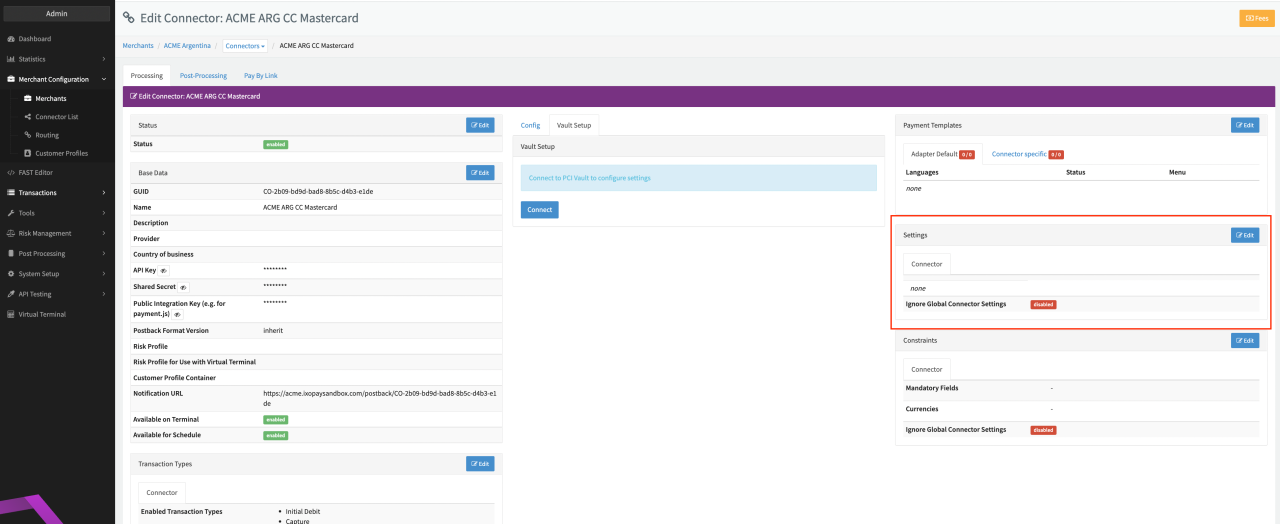 Connector Detail Overview
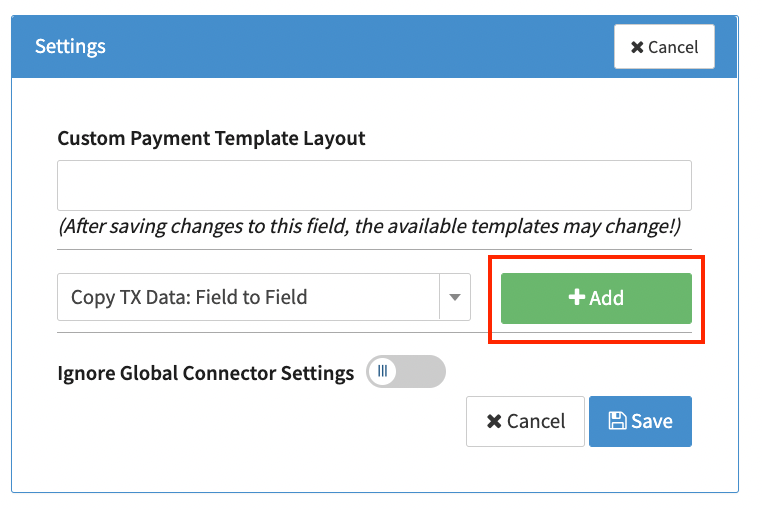 Connector Settings
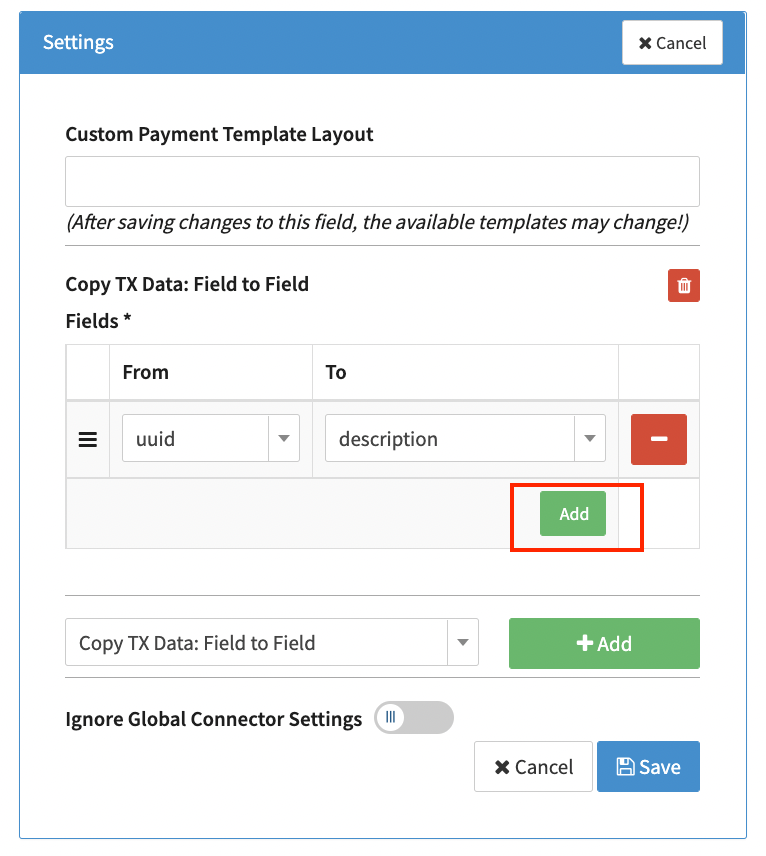 Add parameter pairs