
Worldpay
WorldPay
Depending on the chosen method the a subset of the following parameters for the Connector need to be configured (see Connector Config - WorldPay I & II):
- Fill in the mandatory WorldPay Merchant Code
- Fill in the mandatory Password
- Fill in the mandatory API Username
- Fill in the mandatory API Password
Additional Extra Data is available to be configured:
- Fill in the optional Extra Data: currencyForRegister
- Fill in the mandatory Extra Data: recurringMerchantCode
- Fill in the mandatory Extra Data: forwardBillingDetails: True, False
- Fill in the optional Extra Data: forwardShippingDetails: True, False
- Fill in the optional Extra Data: useStoredCredentials: True, False
- Fill in the optional Extra Data: useTokenization: True, False
- Fill in the optional Extra Data: receiverCurrency
- Fill in the optional Extra Data: chargeback911Secret - optional; Secret key is related to the Authentication to accept webhook notifications from Chargeback911 with header CB911_SIG, value to be hash_hmac with sha256 of the timestamp and the secret key (for mapping see Chargeback911 Webhooks)-
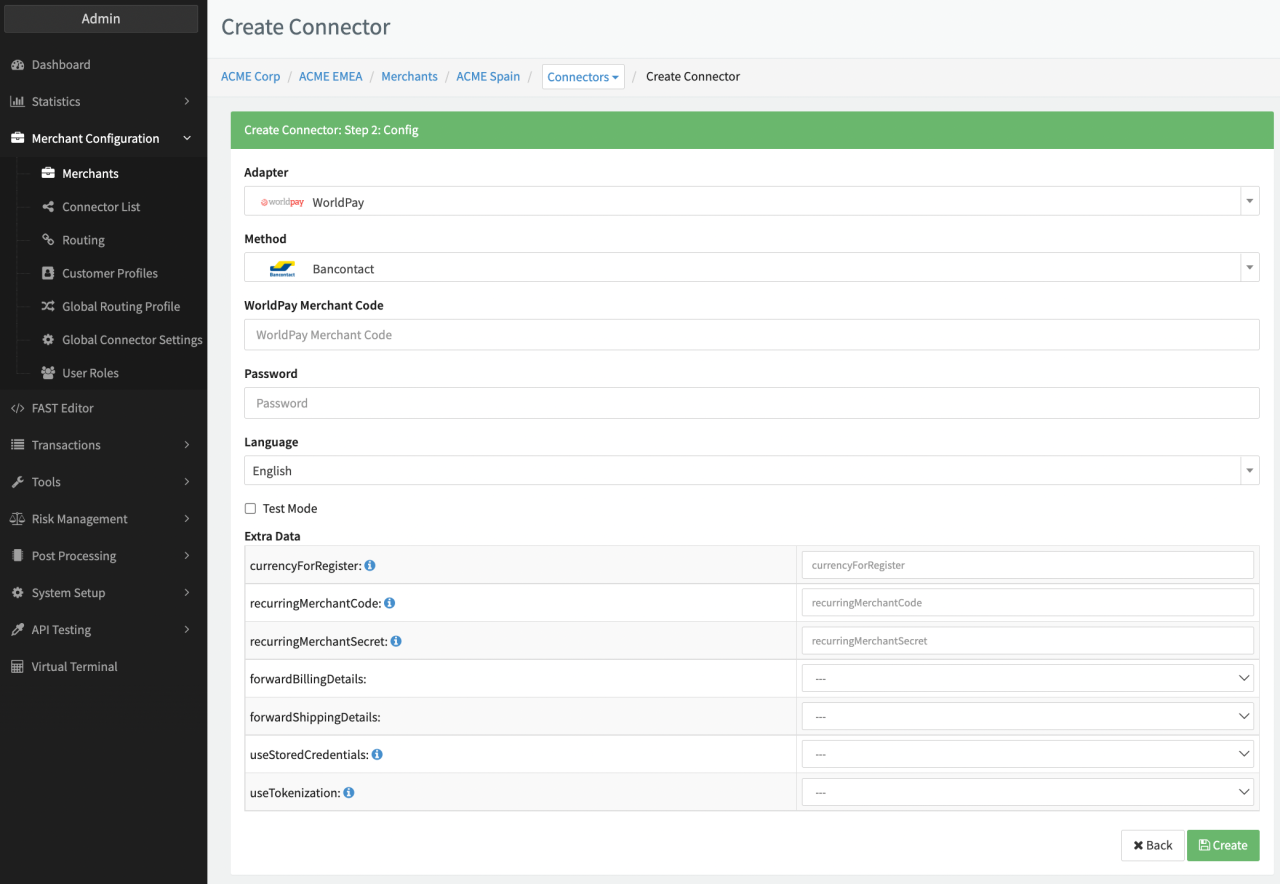 Connector Config - WorldPay I
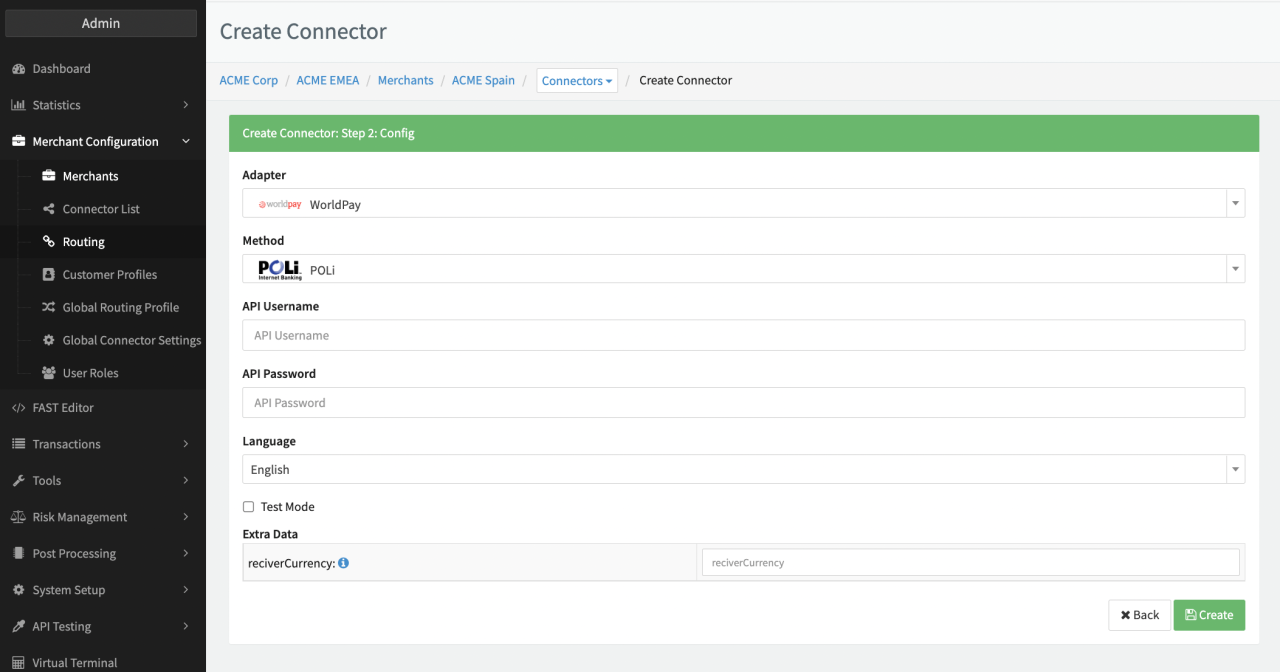 Connector Config - WorldPay II
Keep in mind that for PCI compliant Adapters you need to connect with the PCI environment and the PCI Vault Configuration is shown.
WorldPay Creditcard
Depending on the chosen Interface Type a subset of the following parameters for the Connector need to be configured (see PCI Vault Configuration - Creditcard WorldPay I, II & III):
- Select the mandatory Environment : Live, Test, Production
- Fill in the mandatory Username
- Fill in the mandatory Password
- Fill in the mandatory Merchant Entity
- Fill in the optional Merchant Category Code
- Fill in the optional Shared Secret for Notifications
- Fill in the mandatory AccountID
- Fill in the mandatory AccountToken
- Fill in the mandatory AcceptorID
- Fill in the mandatory TerminalID
- Fill in the mandatory ApplicationName
- Select the mandatory Currency
- Select the mandatory Market Code
- Check the option Enable Incremental Authorizations
- Fill in the mandatory Merchant Code
- Fill in the mandatory XML Username
- Fill in the mandatory XML Password
- Select an optional Amount for card verification
- Select the optional Debit waits for webhook
- Check the Option Do not send 3DS 2.x dsTransactionId for Visa
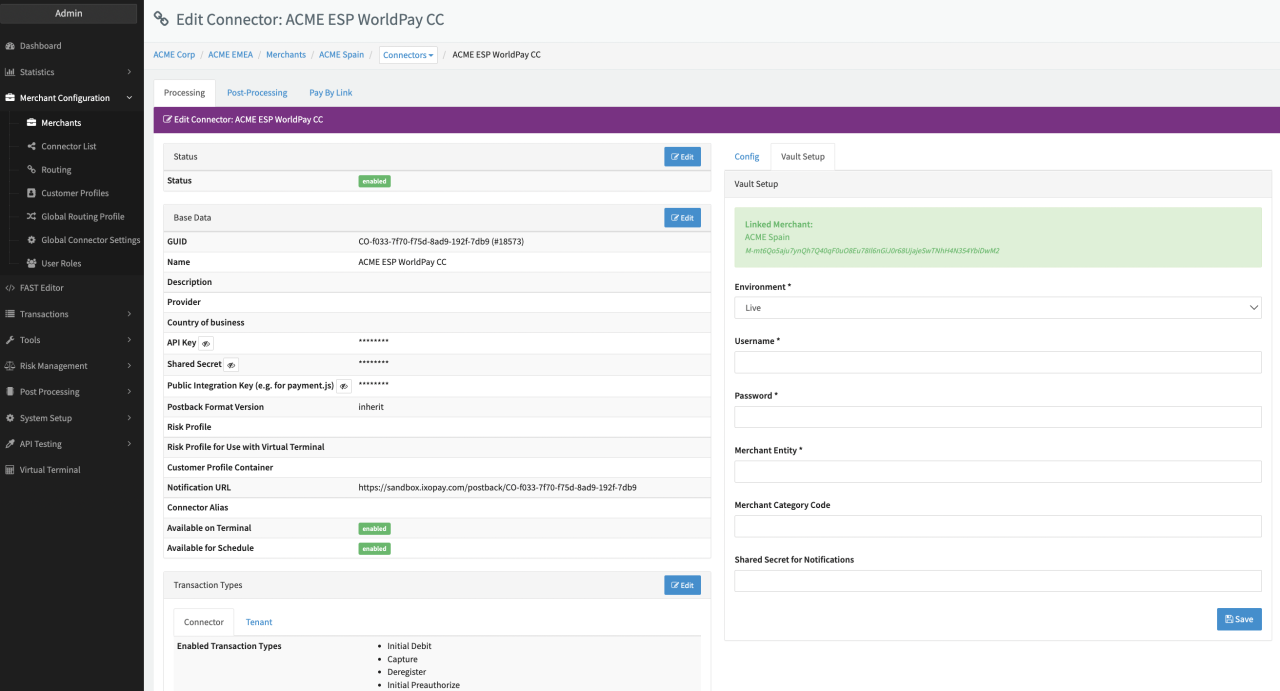 PCI Vault Configuration - Creditcard WorldPay I
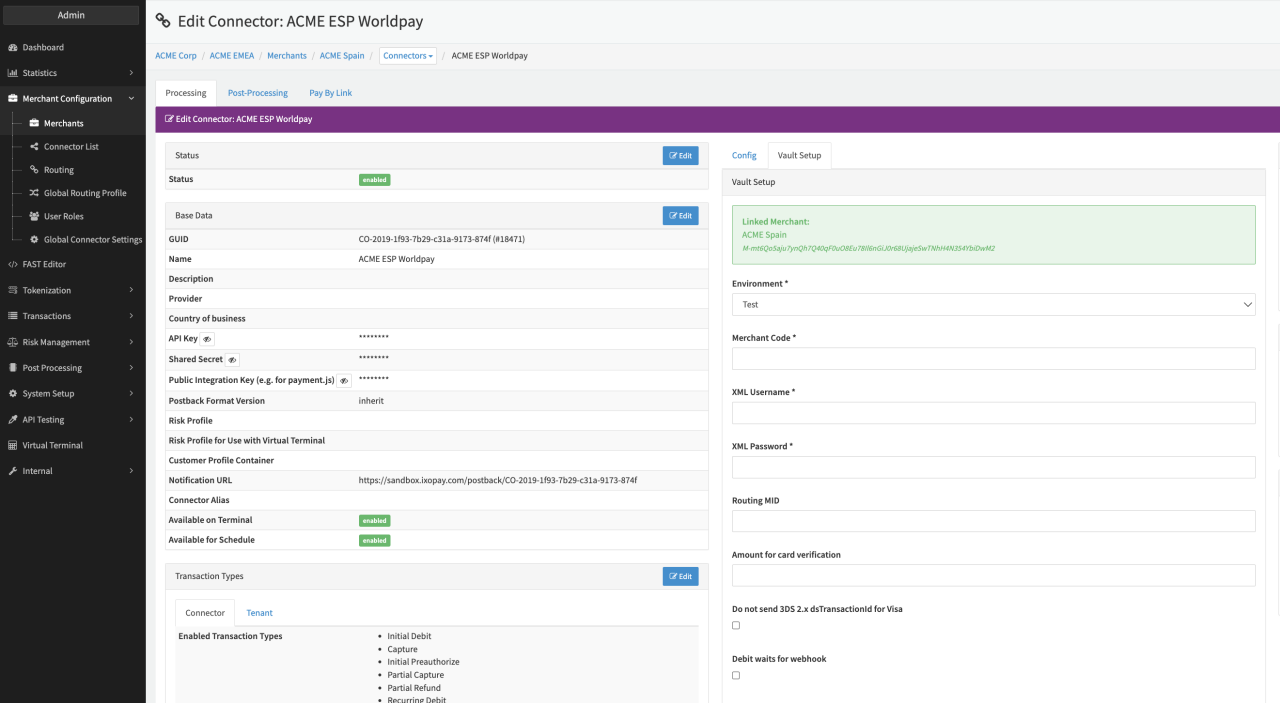 PCI Vault Configuration - Creditcard WorldPay II
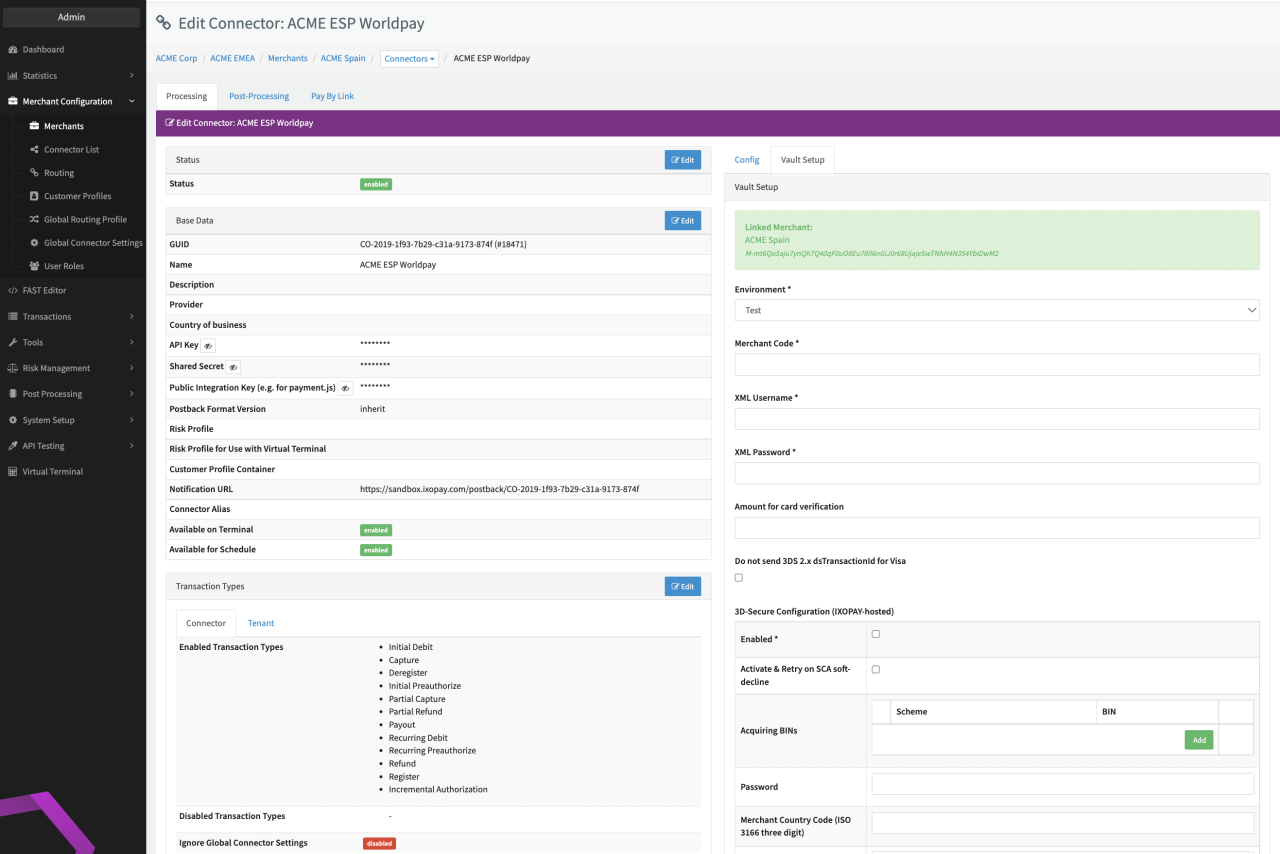 PCI Vault Configuration - Creditcard WorldPay III
Data Fetcher Configuration
You have the option to configure Data Fetchers (see section Enable and Set Up Reconciliation on the Provider Level) either on Provider or on Connector Level, depending on which setup works better for your provider (see Edit Provider).
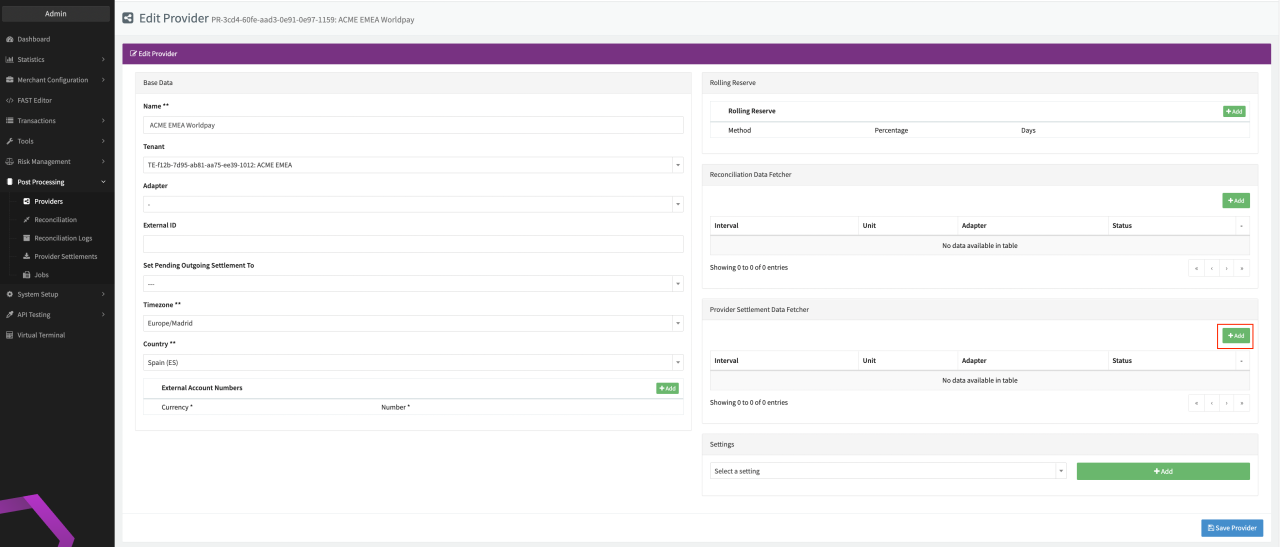 Edit Provider
Provider Settlement
Configure the following Parameters for the Settlements Provider Data Fetcher to fetch Settlement (CSV format) via SFTP (see Edit Provider Settlement Data Fetcher Provider Level):
- Fill in the expected Interval in which the Provider Settlement File should be fetched - days, hours
- Select the Adapter WorldPay
- Enable Testmode - irrelevant for this adapter
- Fill in the mandatory Extra Data: sftpUser used for authentication
- Fill in the mandatory Extra Data: private Key used for authentication
- Fill in the mandatory Extra Data: regex used to specify file pattern
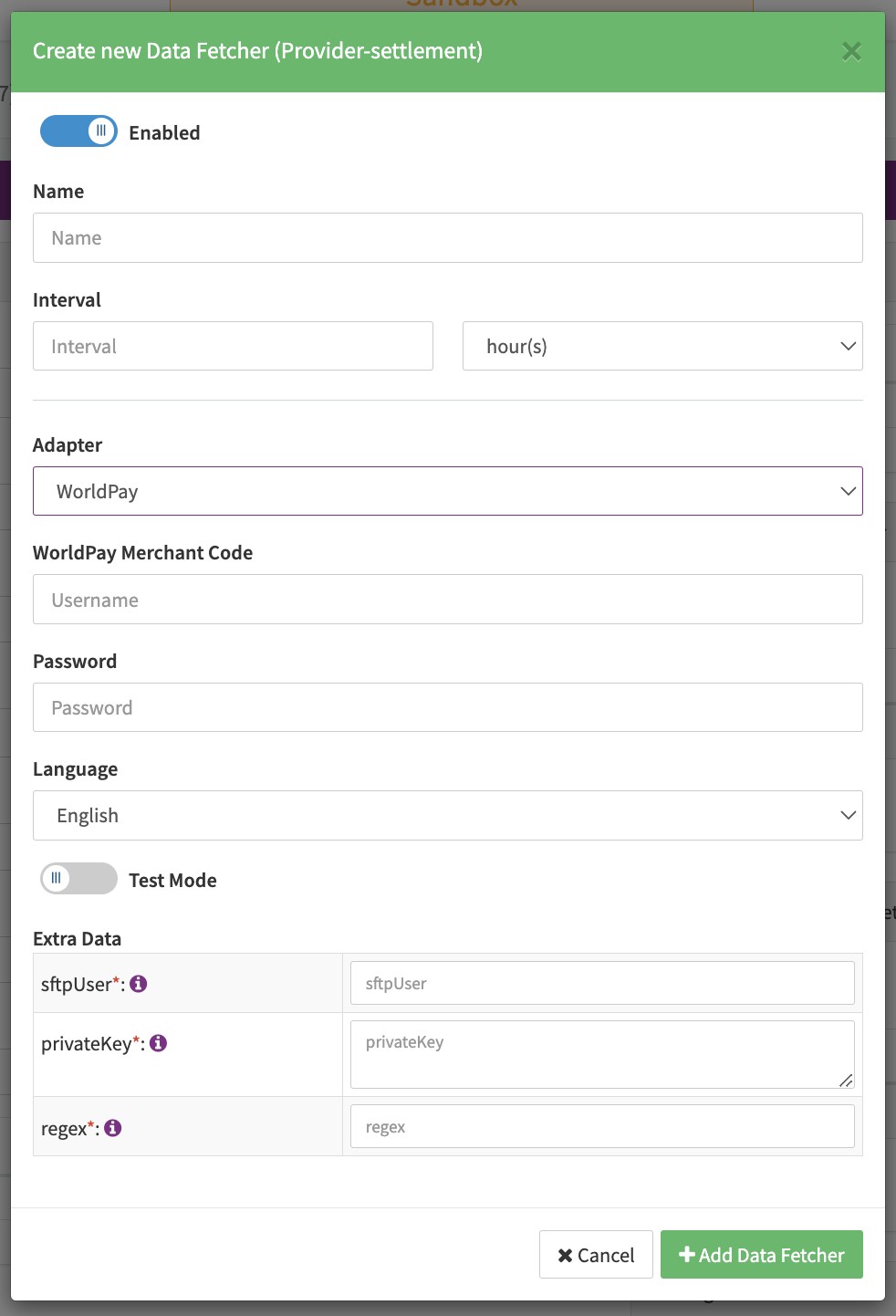 Edit Provider Settlement Data Fetcher Provider Level
Settlement fields
Batch Number
The batch number is taken from the value of the column “Batch ID”.
Mapped Fields
We are mapping the following fields from the Worldpay settlement reports (Provider → IXOPAY platform):
For settlement type status:
MISCELLANEOUSSETTLED_MISCELLANEOUSPAYMENT_TO_MERCHANT_INIATEDINVOICE_PAID
an OtherLineItem is created.
Mapped status values
Chargeback911 Webhooks
A chargeback is only created when the IXOPAY platform receives a webhook with status New , a chargeback reversal is only created when the verdict = Win is received (see https://apidoc.chargebacks911.com/documentation#tag/Webhooks/paths/~1webhooks/post)